





Sync vs Async Programming: Blocking and Non-Blocking Explained
July 5, 2026One of the basic but confusing concepts in programming is the difference between Synchronous (Sync) and Asynchronous (Async) code. Understanding this is crucial for writing fast, scalable applications. In this simple, practical article we compare the two.
What Is Synchronous (Sync) Programming?
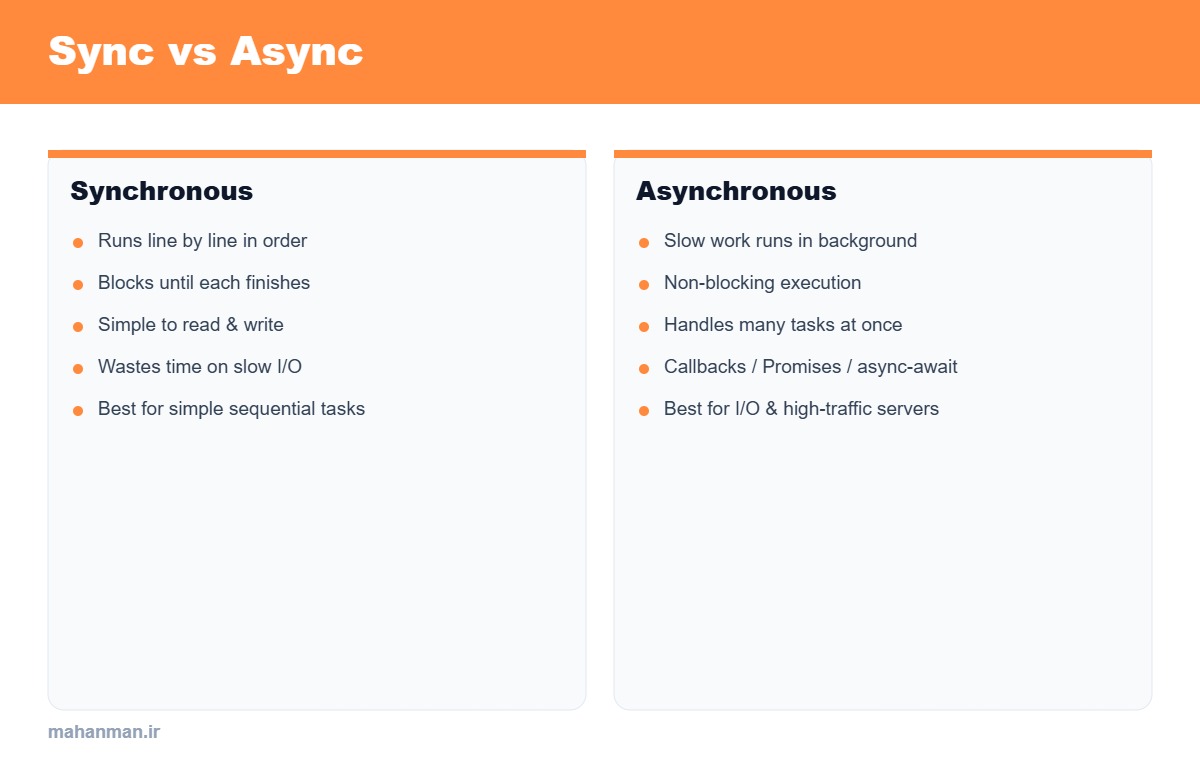
In sync mode, instructions run one by one, in order; each line must finish before the next starts. If an operation is slow (like reading a file or a network request), the whole program waits (blocking).
console.log("1");
// this line blocks the program until it finishes
const data = readFileSync("big.txt");
console.log("2");
What Is Asynchronous (Async) Programming?
In async mode, the slow operation runs in the background and the program continues without waiting; when the result is ready, it is handled with a callback, Promise, or async/await (non-blocking).
console.log("1");
const data = await readFile("big.txt");
console.log("2");
// the program is not blocked while the file is read
The Key Difference: Blocking vs Non-Blocking
Sync code is simpler but wastes resources during slow I/O operations. Async code is more complex but lets a server handle thousands of requests at once; that is why Node.js and modern architectures are async-based.
When to Choose Which?
For simple sequential computation, sync is enough. But for I/O operations (network, database, file) and high-traffic servers, async is essential to keep the application responsive.
Frequently Asked Questions
Does async mean multithreading? Not necessarily. Async can work on a single thread (like the Event Loop in JavaScript); concurrency does not mean parallelism.
Conclusion
Sync code waits, async code does not. To build fast, scalable applications, learning async patterns like Promise and async/await is an essential skill for every back-end developer.
